
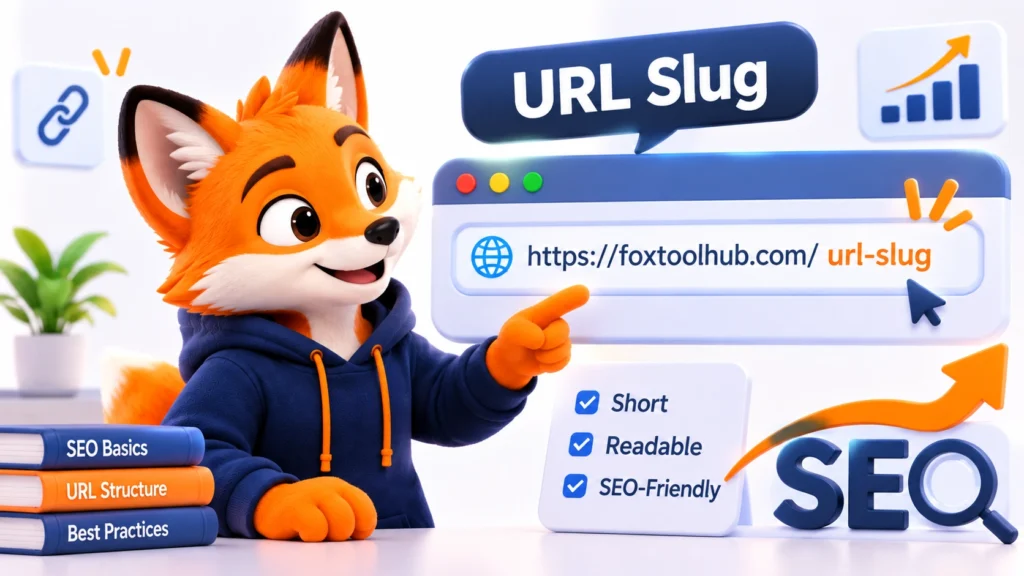
What Is a URL Slug?
A URL slug is the part of a web address that identifies a specific page on a website. It usually appears at the end of the URL, after the domain name or any directory path.
For example, consider this web address:
https://example.com/blog/what-is-a-url-slug/In this example, what-is-a-url-slug is the URL slug. It describes the page topic using a few readable words.
Compare it with a less descriptive URL:
https://example.com/blog/article-123/The second URL does not tell visitors much about the page. A descriptive slug makes the address easier to understand before someone even opens the link.
URL slugs are commonly used in blogs, online stores, documentation websites, and other content-based websites. Content management systems such as WordPress usually generate a slug automatically from the page title, but you can edit it when needed.
URL Slug vs. URL Path: What Is the Difference?
The terms URL slug and URL path are sometimes used interchangeably, but they do not always mean the same thing.
A URL path is the part of an address that follows the domain name. It can include directories and the final page identifier. A slug usually refers to the descriptive part that identifies the individual page.
For example:
https://example.com/blog/seo/url-slug-guide/- Domain:
example.com - URL path:
/blog/seo/url-slug-guide/ - Slug:
url-slug-guide
Understanding this distinction is useful when organizing website URLs, creating categories, and managing page addresses.
Why Do URL Slugs Matter for SEO?
A URL slug is a small part of your website’s structure, but it can provide useful information to both visitors and search engines. A clear URL helps communicate what a page is about and makes website addresses easier to understand.
1. They Help Describe Page Content
A descriptive slug gives users and search engines additional context about a page. For example, a URL such as /image-compressor/ clearly suggests that the page is related to image compression.
By comparison, /page-4582/ does not communicate the same information.
2. They Make Links Easier to Read
Readable URLs are easier to recognize, remember, and share. When users see a link in a message, document, or search result, a meaningful address can help them understand where it leads.
3. They Support a Consistent Website Structure
Well-organized URLs can make a website easier to navigate and maintain. Using consistent slugs helps create predictable page addresses across blog posts, categories, products, and online tools.
4. They Provide a Small SEO Signal
Words in URLs can help search engines understand the topic of a page. However, URL keywords should not be treated as a major ranking factor or a shortcut to better search positions.
Google recommends using simple, descriptive URLs. The main priority should be creating useful content and a website structure that works well for visitors and search engines.
How to Create an SEO-Friendly URL Slug
A good URL slug should be clear, relevant, and easy to read. You do not need complicated techniques to create one. Follow these practical guidelines when publishing a new page.
1. Keep It Short and Descriptive
Choose a slug that communicates the main topic without including unnecessary words. A shorter address is often easier to read and share.
Good example:
/url-slug-guide/Less effective example:
/everything-you-need-to-know-about-creating-a-perfect-url-slug/There is no universal character limit for URL slugs. Focus on clarity rather than trying to reach a specific length.
2. Include the Main Topic Naturally
When appropriate, include the main subject or target keyword in the slug. This makes the page address more descriptive and consistent with the page content.
For an article about URL slugs, a suitable choice is:
/what-is-a-url-slug/Avoid repeating keywords or adding unrelated search terms. Keyword stuffing makes URLs less natural and does not guarantee better rankings.
3. Use Hyphens to Separate Words
Use hyphens (-) between words in a URL slug. Google recommends hyphens because they help users and search engines identify individual words.
Recommended: /image-compression-guide/
Avoid: /image_compression_guide/
4. Use Lowercase Letters Consistently
URLs can be case-sensitive. Depending on the server configuration, uppercase and lowercase versions of an address may be treated as different URLs.
Using lowercase letters consistently helps avoid accidental URL variations.
Recommended: /json-formatter/
Avoid: /JSON-Formatter/
5. Remove Unnecessary Words
Words such as “the,” “a,” “and,” or “for” may not be necessary in every slug. Removing them can make an address shorter without changing its meaning.
Longer: /the-best-way-to-compress-your-images/
More concise: /compress-images/
However, do not remove words if doing so makes the URL confusing or changes the intended meaning.
6. Use Relevant Words in Your Audience’s Language
Your URL should make sense to the people who use your website. If your website targets an English-speaking audience, English words are usually a natural choice for its slugs.
For multilingual websites, consider using appropriate words for each language and maintaining a consistent URL structure across language versions.
7. Avoid Unnecessary Dates and Numbers
For content that is intended to remain useful over time, avoid adding publication years or temporary numbers unless they are essential to the topic.
For example, /url-slug-best-practices/ can remain relevant for years, while /url-slug-tips-2026/ may appear outdated later.
8. Keep Existing URLs Stable
Once a page has been published and its URL is being used, avoid changing the slug without a good reason.
Changing an established URL can break existing links and send visitors to a missing page. If you need to change it, create a permanent redirect from the old URL to the new one and update relevant internal links.
URL Slug Examples: Good vs. Bad
The following examples show how to turn unclear or unnecessarily long addresses into more readable URL slugs.
| Page Topic | Recommended Slug | Less Effective Slug |
|---|---|---|
| Word Counter | /word-counter/ | /tool-102/ |
| JSON Formatter | /json-formatter/ | /format_json_data/ |
| Image Compression Guide | /image-compression-guide/ | /the-complete-guide-to-image-compression-for-2026/ |
| Password Generator | /password-generator/ | /page-4582/ |
| URL Slug Tutorial | /url-slug-guide/ | /url_slug_tutorial/ |
The recommended examples are descriptive and easy to understand. They also avoid unnecessary words and characters.
Need to create a clean, SEO-friendly URL slug quickly? Try our free URL Slug Generator to turn titles or text into readable URL slugs.
How to Change a URL Slug in WordPress
WordPress allows you to edit the URL slug of a post or page directly from the Gutenberg editor.
Follow these steps:
- Open your WordPress dashboard.
- Go to Posts or Pages.
- Create a new post or open an existing one.
- Open the post settings in the Gutenberg editor.
- Find the Permalink or URL settings.
- Locate the slug field and enter your preferred URL slug.
- Use lowercase words separated by hyphens.
- Preview the URL and make sure it accurately describes the page.
- Publish or update the content.
WordPress may automatically generate a slug from your page title. Review the generated address before publishing to remove unnecessary words and improve readability.
If you change the slug of an already published page, make sure a permanent redirect is configured from the previous URL to the new one.
Common URL Slug Mistakes to Avoid
Even a simple URL can become confusing when it is poorly structured. Avoid these common mistakes:
- Keyword stuffing: Repeating the same keyword unnecessarily.
- Excessive length: Including the entire page title when a shorter description is enough.
- Using underscores: Choosing underscores instead of hyphens to separate words.
- Random identifiers: Using meaningless numbers when descriptive words are more useful.
- Inconsistent capitalization: Mixing uppercase and lowercase letters across URLs.
- Unnecessary changes: Updating established URLs without a clear reason or redirect.
- Unrelated keywords: Adding search terms that do not accurately describe the page.
The goal is not to make every URL look optimized for a search engine. The goal is to create a consistent and understandable address that accurately represents the page.
Final Thoughts
A URL slug is a small but useful part of your website’s structure. It identifies a page and provides additional context about its content.
To create effective URL slugs, keep them short, descriptive, and relevant. Use lowercase letters, separate words with hyphens, and avoid unnecessary details.
Remember that URL optimization is only one part of SEO. High-quality content, a useful website experience, and a well-organized site structure remain essential.
By following these practices, you can create cleaner URLs that are easier to understand, share, and maintain.
Frequently Asked Questions
What is a URL slug in simple terms?
A URL slug is the part of a web address that identifies a specific page. For example, in example.com/blog/url-slug-guide/, the slug is url-slug-guide.
Does a URL slug affect SEO?
A descriptive URL slug provides context about a page and helps make its address easier to understand. Google uses words in URLs as one source of information, but optimizing a slug alone does not guarantee higher search rankings.
How long should an SEO-friendly URL slug be?
There is no fixed character or word limit for a URL slug. It should be concise enough to read easily while still describing the page accurately.
Should I use hyphens or underscores in URL slugs?
Use hyphens to separate words in URL slugs. Google recommends hyphens because they help users and search engines identify individual words more easily.
Can I change a URL slug after publishing a page?
Yes, but changing an established URL can break existing links. If you change a published slug, configure a permanent redirect from the old URL to the new one and update relevant internal links.
Should a URL slug contain the entire article title?
No. A slug does not need to include every word in the title. Use a concise description that communicates the main topic clearly.
Does changing a URL slug affect existing backlinks?
It can. Existing backlinks may still point to the old address. A properly configured permanent redirect can help send visitors and search engines to the new URL.